
Quick answer: Claude Cowork is Anthropic's AI agent for everyday work. You describe a task, Claude plans it and does it, working with your files, apps and the web, and hands you the finished result. It's included in paid Claude plans (from $20 a month), not the free plan. Its closest ChatGPT equivalent is ChatGPT Work.
For most people, AI still means a chat box. You ask a question, copy the answer, paste it somewhere else and do the rest of the work yourself.
Claude Cowork changes that. Instead of just answering, Claude does the work: it opens your files, builds the spreadsheet, drafts the report, pulls data from your apps and hands you a finished result.
This guide covers what Claude Cowork is, what it can do, how much it costs (and whether it's free), how it differs from regular Claude Chat and Claude Code, and how it compares to ChatGPT and other AI coworkers.
What Is Claude Cowork?
Claude Cowork is Anthropic's AI agent for everyday knowledge work. You describe a task, Claude makes a plan, and then it carries out the steps, working with your files, apps and the web, until the job is done.
Think of it as the difference between asking a colleague a question and handing a colleague a task:
- Chat: "How should I structure a monthly sales report?"
- Cowork: "Use the CSV files in my Sales folder to build this month's sales report in Excel, add a chart, and draft a short summary email for the team."
With Cowork, Claude actually opens the files, does the analysis, creates the spreadsheet and writes the email draft.
What Exactly Does Claude Cowork Do?
Claude Cowork can:
- Work with your files: read, create and edit documents, spreadsheets, presentations, PDFs, images and more in folders you choose
- Use your apps through connectors: for example Google Drive, Gmail, Slack or Microsoft 365
- Browse the web with a built-in browser for research and online tasks
- Run multi-step tasks from start to finish, splitting big jobs into parts that run in parallel
- Keep working in the background while you do something else
- Run on a schedule, for example a weekly report every Monday morning
- Take tasks from your phone and continue them on any device
Claude Chat vs Cowork vs Claude Code: What's the Difference?
This is one of the most common questions. All three use the same Claude models, but they're built for different jobs:
| Claude Chat | Claude Cowork | Claude Code | |
|---|---|---|---|
| Best for | Questions, writing, brainstorming | Getting multi-step work done | Building and maintaining software |
| Who it's for | Everyone | Business users and non-technical teams | Developers |
| How it works | Back-and-forth conversation | You give a task, Claude plans and does it | Works in your codebase and terminal |
| Works with your files | Files you upload | Folders and apps you connect | Your code repositories |
| Output | Answers and drafts | Finished files, reports, updates | Code changes, tests, pull requests |
In short: Chat is for talking, Cowork is for doing, and Claude Code is for coding.
Good to know: in newer versions of the Claude app, you may no longer see separate Chat and Cowork options. Any conversation can take on a Cowork-style task when needed.

Claude Cowork Pricing: Is It Free?
No. Claude Cowork isn't available on the free plan. It's included in every paid Claude plan, with no separate add-on fee:
| Plan | Price | Cowork |
|---|---|---|
| Free | $0 | Not included |
| Pro | $20/month, or $17/month billed annually | Included |
| Max | From $100/month | Included, more usage |
| Ultra | $200/month | Included, even more usage |
| Team | From $20 per seat/month (2–150 people) | Included in standard and premium seats |
| Enterprise | Custom | Included, with admin controls |
How Much Does Claude Cowork Really Cost?
The plan price is the same whether you use Chat or Cowork, but Cowork uses your usage limits faster, because one task can involve many steps, tool calls and helper agents. If you run Cowork tasks every day, Pro may feel tight, and Max or a Team plan is usually a better fit.
Tips to stretch your usage:
- Group related work into one task instead of many small ones
- Start a new task for unrelated work
- Check your usage in Settings → Usage
Where Can You Use Claude Cowork?
| Platform | Availability |
|---|---|
| Desktop app | macOS, Windows, and Linux (beta) |
| Web and mobile | Pro, Max, Ultra and Team (beta on Team); Enterprise if an admin enables it |
| Chrome side panel | All paid plans (Enterprise needs admin approval) |
The desktop app is the most powerful option because it can work with files and apps on your own computer. On web and mobile, tasks run in the cloud.
Your work also syncs across devices, so you can start a task on your laptop and check on it from your phone.
Key Claude Cowork Features
Folders
On desktop, you choose which folders Claude can use. It can only read and write files in folders you've connected, and you can add folder instructions so Claude knows the context of each project.
Connectors and Integrations
Connectors link Cowork to the apps where your work lives, such as Google Drive, Gmail, Slack, Microsoft 365 and many more. For each connector tool you can choose Always allow, Needs approval or Blocked, so you stay in control of what Claude can do.
Plugins and Skills
Plugins bundle skills, connectors and specialist helper agents into one install, for example a plugin for sales, legal or finance work. Plugins are saved to your account and also work in Chat and Claude Code.
Skills teach Claude how to do a specific task your way. We cover them in detail in our Claude Code Skills guide.
Scheduled Tasks
Type /schedule in a task or open Scheduled in the sidebar to set up recurring work: a Monday morning pipeline report, a daily inbox summary, a weekly competitor check. Scheduled tasks run in the cloud, so your computer doesn't need to be on.
Tasks From Your Phone (Dispatch)
You can send Claude a task from the mobile app (often called Dispatch) and come back to finished work later, on any device.
Built-in Browser and Computer Use
Cowork has its own built-in browser, separate from your personal browser and logins, for research and web tasks. Anthropic also offers computer use as a research preview: Claude tries connectors first, then the browser, and only uses your screen as a last resort, asking permission before accessing each app.
Is Claude Cowork Safe to Use?
Cowork can open files and use apps for you, so safety matters. Anthropic builds in several controls:
- You choose the folders and tools. Claude only works inside what you connect.
- Approval modes: Manual (Claude asks before acting), Auto (Claude checks each action and blocks unsafe ones) or Skip (no checks, only for setups you completely trust).
- No permanent deletion without your permission.
- Isolated environment: Claude's work runs in a separate, isolated environment.
- Admin controls on Team and Enterprise: access by team, spend limits, tool permissions by department, and activity logs that can feed your security tools.
Claude Cowork Security Risks to Watch
- Untrusted content. Web pages or documents can contain hidden instructions that try to trick an AI agent. Review Claude's plan before approving actions, especially with sensitive files.
- Too many permissions. Only connect the folders and apps a task actually needs, and keep risky tools on Needs approval.
- Sensitive data. Check your company's policies before using Cowork with customer, financial or health data.
How to Set Up Claude Cowork
- Get a paid Claude plan (Pro, Max, Ultra, Team or Enterprise).
- Download the Claude desktop app for Mac, Windows or Linux, or open Claude on the web.
- Choose Cowork in the message box (or just describe a task in newer versions).
- Connect a folder and add the connectors your task needs.
- Describe the task clearly: what you want, where the inputs are and what the output should look like.
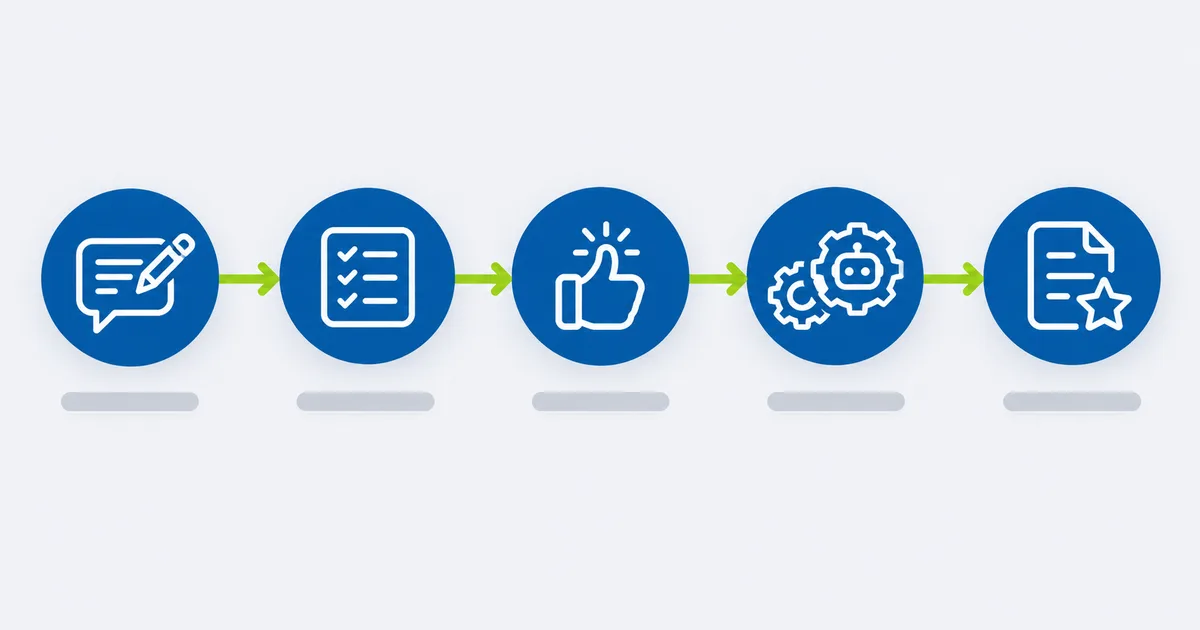
- Review Claude's plan, approve it, and let it run.

Cowork Tab Missing or Not Showing Up?
If you can't find Cowork:
- Check your plan: Cowork needs a paid plan.
- Update the Claude app to the latest version.
- Look for the new experience: in newer versions there may be no separate Cowork tab; just describe your task.
- On Enterprise, ask your admin to enable Cowork.
Claude Cowork Use Cases: What Can You Do With It?
Example use cases: illustrative tasks showing how teams can use Cowork.
Daily tasks
- Turn a folder of receipts into an expense spreadsheet
- Rename and organize hundreds of files by client and date
- Summarize today's important emails and Slack threads
Sales
- Research a list of prospects and build account briefs before calls
- Update a pipeline spreadsheet and draft follow-up emails
Marketing
- Turn a webinar transcript into a blog draft, social posts and an email
- Build a weekly campaign performance report from exported data
Finance and operations
- Compare invoices against purchase orders and flag mismatches
- Prepare a monthly report pack from several spreadsheets
Legal
- Summarize contracts and list key dates, renewal terms and obligations
- Compare a contract draft against your standard template
Always have a person review anything legal, financial or customer-facing before it's sent.

Claude Cowork vs ChatGPT: Which AI Coworker Is Better?
Does ChatGPT have something like Claude Cowork? Yes. OpenAI has launched ChatGPT Work, an agent inside ChatGPT that can take action across your apps and files and work on a project for hours. It's powered by GPT-5.6 and Codex, and on desktop it can use your local files and apps.
Before that, ChatGPT's main option was ChatGPT agent (agent mode), which works in a virtual computer in the cloud. It's good for web tasks, but it doesn't have standing access to your local folders.
| Claude Cowork | ChatGPT Work | |
|---|---|---|
| Made by | Anthropic | OpenAI |
| Local files and apps | Yes, on desktop | Yes, on desktop |
| Connectors to work apps | Yes | Yes |
| Scheduled tasks | Yes | Yes |
| Plugins and skills | Yes, shared with Chat and Claude Code | Uses ChatGPT apps and Codex |
| Free plan | No, paid plans only | OpenAI said desktop access is on every plan, including Free; web and mobile rolled out first to Pro, Enterprise and Edu |
| Approval and admin controls | Manual, Auto and Skip modes; team admin controls | Workspace admin controls |
Which One Should You Choose?
- Choose Claude Cowork if your team already uses Claude, wants strong control over folders and permissions, or wants the same plugins and skills across Chat, Cowork and Claude Code.
- Choose ChatGPT Work if your team is already standardized on ChatGPT and its apps, or wants to try an AI coworker on the free desktop app first.
- Best approach: give both the same three real tasks from your work for a week, then compare the quality of the finished output, how often you had to step in, and how much usage each task took.
Other Claude Cowork Alternatives
| Tool | What it is | Best for |
|---|---|---|
| Microsoft Copilot Cowork | Microsoft's AI coworker inside Microsoft 365 | Companies that live in Outlook, Word, Excel and Teams |
| Perplexity Computer | A cloud agent that runs research and multi-part tasks with many helper agents | Deep research and online tasks |
| OpenClaw | An open-source, self-hosted personal AI agent | Technical users who want full control and don't mind setup |
Claude Cowork vs OpenClaw: OpenClaw is free to self-host and very flexible, but you manage setup, models, hosting and security yourself. Cowork is a managed product with built-in controls, which makes it easier for business teams.
Claude Cowork vs Perplexity Computer: Perplexity Computer runs entirely in the cloud, focuses on research-heavy tasks and is offered on Perplexity's top-tier plan. Cowork is stronger when the work involves your own files and business apps.
Is Claude Cowork Worth It for Business?
Cowork is worth it when your team spends hours on repeatable, multi-step work: reports, file clean-up, research, document prep and data pulled from several apps. Start with one or two tasks that eat up time every week, measure the hours saved, then expand.
It's less useful for one-off questions (Chat is enough) or for work that needs deep integration with systems Cowork can't connect to yet.
How BaruzoTech Helps Teams Get Value From Claude Cowork
Turning on Cowork is easy. Getting real, repeatable results across a team takes more:
- Picking the right tasks: which weekly work is worth handing to an AI coworker
- Custom plugins and skills that follow your processes, templates and tone
- Connecting your internal systems: CRMs, databases and tools that don't have a ready-made connector
- Guardrails and permissions that fit your security and compliance needs
- Training your team so Cowork becomes part of daily work, not a one-time experiment
Want to know which of your team's tasks Cowork could take over? Book a free systems call → You'll hear back within one business day with an honest take on what's worth automating.
Frequently Asked Questions
What exactly does Claude Cowork do?
Claude Cowork carries out multi-step tasks for you. You describe the work, Claude makes a plan, and then it opens files, uses connected apps and the web, and delivers a finished result such as a spreadsheet, report, presentation or email draft.
Is Claude Cowork free?
No. Claude Cowork is included in paid Claude plans (Pro, Max, Ultra, Team and Enterprise) but not in the free plan.
How much is Claude Cowork?
There's no separate price. Cowork comes with Claude Pro ($20/month, or $17/month billed annually), Max (from $100/month), Ultra ($200/month), Team (from $20 per seat/month) and Enterprise (custom pricing). Cowork tasks use your plan's usage limits faster than chat.
What is the difference between Claude Chat and Claude Cowork?
Claude Chat is a conversation: you ask, Claude answers. Claude Cowork is task-based: you hand Claude a job and it does the steps itself, working with your files, apps and the web.
What is the difference between Claude Code and Claude Cowork?
Claude Code is built for developers and works in code repositories and the terminal. Claude Cowork is built for business users and works with documents, spreadsheets, presentations, email and work apps.
Is Claude Cowork available on Windows?
Yes. The Claude desktop app with Cowork is available on macOS and Windows, with Linux in beta. You can also use Cowork on the web and mobile on supported plans.
Is Claude Cowork safe to use?
Cowork includes safety controls: it only works in folders and apps you connect, offers Manual, Auto and Skip approval modes, asks before permanently deleting files and runs work in an isolated environment. Still, review Claude's plan before approving actions on sensitive files and only connect the tools a task needs.
Does ChatGPT have something like Claude Cowork?
Yes. OpenAI launched ChatGPT Work, an agent that can take action across apps and files and work on projects for hours. ChatGPT also has an earlier agent mode that works in a cloud virtual computer.
Where are Claude Cowork skills stored?
Cowork uses skills and plugins saved to your Claude account, so they're available across Chat, Cowork and Claude Code. Skills saved only in your computer's local Claude Code skills folder aren't read by Cowork's cloud sessions, so enable them on your account instead.
Why is the Cowork tab missing in Claude Desktop?
Check that you're on a paid plan and the latest app version. In newer versions there may be no separate Cowork tab; just describe your task. On Enterprise plans, an admin may need to enable Cowork.
Related reading: Claude Code Skills: the complete guide · WhatsApp business automation: 10 use cases